See the asset in context
Keep photos, warranties, documents, responsible people, exact locations, and service history with the record. Find the information that explains what needs to happen next.

A Sortly alternative for inventory and the work around it.
Comparing Sortly vs Itemtopia? This guide compares Sortly with ItemtopiaPro, our professional inventory and asset management product. Explore how each fits your records, team, and day-to-day work before switching.
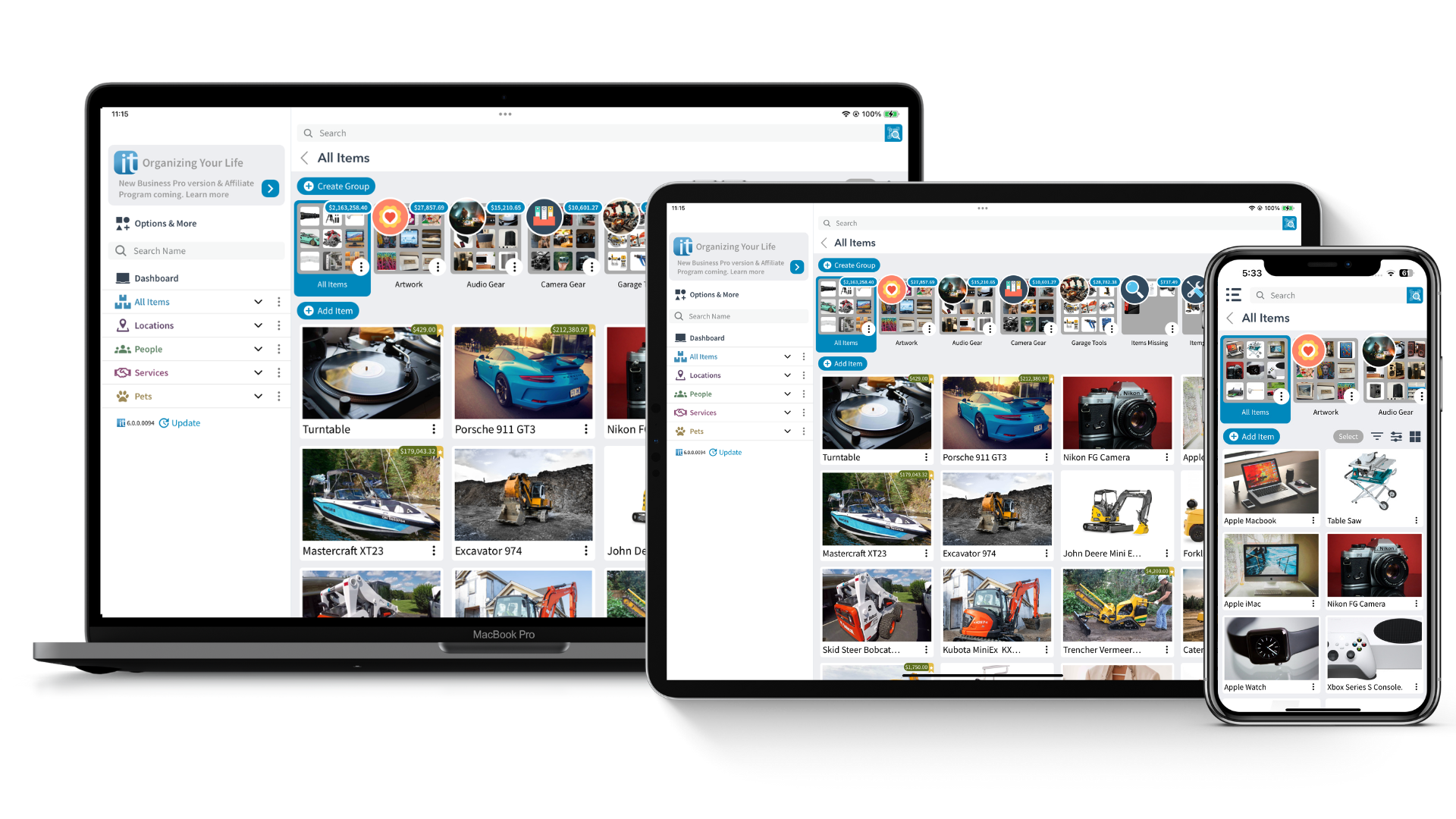
Keep photos, warranties, documents, responsible people, exact locations, and service history with the record. Find the information that explains what needs to happen next.
Connect stock and supplies with customer equipment, property records, inspections, and issue boards. Configure your structure around the terms and processes your team already uses.
Our team’s asset management experience dates to 1987. Itemtopia launched in 2012 and is used in more than 100 countries, with 17 languages.
Meet the team behind ItemtopiaPro →Start with the records your team uses every day. If you mainly need to find stock, check quantities, and scan labels, compare the visual inventory workflows in both products. Sortly documents photo inventory, folders, and barcode or QR scanning in its feature guide.
Evaluate ItemtopiaPro when an item also needs a customer, property, responsible person, inspection, or service history attached to it. For example, a field service team can review equipment alongside its location, documents, issues, and past work. Explore the field service workflow or business asset management workflow for that context.
Both products support visual inventory. ItemtopiaPro’s approach brings assets and their operational context together. Use these differences to decide what to try with your own records.
| Your requirement | ItemtopiaPro | Sortly |
|---|---|---|
| Visual inventory | Photo-led records with locations, people, documents, and history together. | Photo-based inventory with folders and barcode / QR workflows. Source ↗ |
| Assets and the work around them | Connect equipment to customers, properties, inspections, issues, and service records. | Inventory and asset tracking; jobs connect items to projects and work orders. Source ↗ |
| Flexibility | Configure modules, groups, fields, and status boards around your team’s work. | Custom fields and tags; features and limits depend on the plan. Source ↗ |
| AI assistance | AI Help for tutorials, item questions, values, costs, dates, and practical next steps. | Sage assists spreadsheet imports with column mapping and error review. Source ↗ |
| Reports and exports | Share and export records with the context your team maintains. Ask us to demonstrate your required output. | Inventory and activity reports, filtering, and export options. Source ↗ |
| Growing teams | Start with a focused workflow and expand into connected modules. Confirm capacity and access needs with us. | Published tiers set item and user allowances; Enterprise offers custom arrangements. Source ↗ |
Published by ItemtopiaPro. Sortly information checked October 5, 2026 against the linked vendor documentation. Features and allowances vary by plan; the table is not an exhaustive feature list.
A subscription price is only part of the cost. Compare the users and records you need, the time spent finding information, and the other tools you use for inspections, documents, and service history.
Sortly publishes item and user allowances by plan, with different monthly and annual offers. Check both the introductory price and renewal terms on its current pricing page.
Tell us your team size, record count, required reports, AI needs, and industry workflows. We’ll help you compare an ItemtopiaPro configuration against the Sortly plan you use today.
Request a tailored comparisonExplore dedicated workflows for estate management, construction, property management, field service, inventory audits, and home inspections.
Explore all industries →Keep a backup before changing systems. Sortly documents spreadsheet, PDF, and Dropbox exports; choose the files that contain your required records and original photos.
Review fields, folders, identifiers, quantities, photos, and attachments. Agree what becomes an asset, location, person, or linked record in ItemtopiaPro.
Review a representative sample with your team. Check counts, images, documents, and the reports you rely on before moving the remaining records.
Choose ItemtopiaPro when the work around an asset matters: who is responsible, which customer or property it belongs to, what needs inspection, and what happened during its service life.
The right comparison depends on your item count, users, workflows, and billing term. Request an ItemtopiaPro quote and compare the total cost against the Sortly plan you need, including renewal pricing.
Start with an export and a sample review. Agree how fields, identifiers, photos, and attachments will map before importing a larger dataset. Migration scope depends on the source files and your requirements.
Yes. Sortly documents AI-assisted bulk importing, reporting, and spreadsheet, PDF, and Dropbox export options. Compare the specific tasks you need each product to handle.
Comparison guide updated .
Sortly is a trademark of its respective owner. ItemtopiaPro is not affiliated with or endorsed by Sortly.